Bulk 3D Printing for Scalable Production Without Traditional Manufacturing Limits
May 4, 2026
Why Companies Choose Corporate Giveaways 3D Print Over Mass-Produced Items
May 6, 2026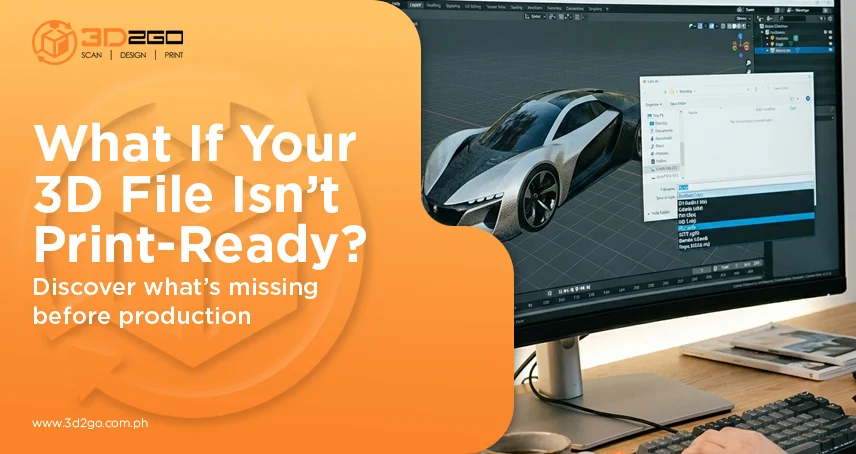
Most people pour their time into the design itself, which makes sense. That’s where the idea comes to life. But what often slips under the radar is how that design gets translated into something a machine can actually print.
That’s where 3D printing file formats step in.
The format you choose isn’t just a technical detail. It directly affects how your model is interpreted, processed, and ultimately produced. A poor choice here can quietly undo hours of careful design work.
That’s why the file extension for 3d printing matters more than it seems at first glance.
It’s Not Just a File, It’s Instructions
A 3D printer doesn’t “see” your design the way you do. It relies entirely on the data inside the file to understand shape, structure, and sometimes even surface details.
The file extension for 3d printing acts as that instruction set.
If the format doesn’t carry enough information—or carries it poorly—the printer can only work with what it has. That’s when you start seeing issues like missing edges, rough surfaces, or distorted shapes.
And those problems usually don’t come from the machine. They start with the file.
Different Formats, Different Strengths
Not all formats are built the same, and that’s where many workflows go sideways. Some formats are stripped-down and efficient, like STL, which focuses solely on geometry. Others, like OBJ or 3MF, handle more complex data—textures, colors, even multiple materials.
Choosing the right file extension for 3d printing depends on what your model actually requires. A simple part may work perfectly with a basic format. A more detailed model? That needs something more capable.
Using the wrong one is a bit like sending a high-res image through a low-quality filter—you lose detail, whether you notice it immediately or not.
Where Accuracy Starts to Slip
Precision in 3D printing doesn’t begin at the machine—it begins with how the model is saved. A file extension for 3d printing that doesn’t support great detail can simplify curves into flat surfaces or miss smaller features entirely. Once that happens, there’s no way to recover that data during printing.
This is where many inconsistencies creep in:
- Edges that look rough instead of smooth
- Fine details that disappear
- Slight size inaccuracies that affect fit
It’s subtle at first, but it adds up quickly.
Compatibility Can Save, or Break Your Workflow
Another layer to this is compatibility. Design software, slicing programs, and printers don’t always interpret files the same way. Choosing a widely supported 3D printing file extension helps avoid unnecessary friction at these steps.
When formats don’t align, you might run into:
- Files that won’t open properly
- Data that shifts during import
- Unexpected errors during slicing
It’s not the kind of issue you want to troubleshoot halfway through a project.
Why Slicing Depends on File Quality
Before anything gets printed, the model goes through slicing. That’s where it’s broken down into layers that the printer can follow. The catch? The slicer can only work with the information it receives.
If the file extension for 3d printing lacks detail or has structural issues, slicing won’t fix it—it will simply reflect those problems in the final output.
That’s when prints come out weaker, uneven, or structurally flawed.
Balancing File Size and Detail
There’s always a trade-off between resolution and performance. Highly detailed files tend to be larger, which can slow down processing. On the other hand, overly simplified files lose the precision needed for accurate printing.
A good file extension for 3d printing helps strike that balance—keeping enough detail without overwhelming the system.
It’s not about having the biggest file. It’s about having the right one.
Why This Matters More as 3D Printing Scales
As 3D printing moves beyond prototyping into production, consistency becomes more important.
According to research, the global 3D printing market continues to expand as more industries rely on it for both development and manufacturing.
With that growth, the role of the file extension for 3d printing becomes even more critical. Small inconsistencies at the file level can lead to repeated issues across multiple units.
Common Mistakes That Cause Problems
Even experienced teams sometimes overlook file format decisions.
A few patterns show up often:
- Using STL for models that require color or texture
- Exporting with low resolution settings
- Repeatedly converting files between formats
Each of these can degrade the quality of the final model, even if the original design was solid.
At its core, the wrong file extension for 3D printing quietly introduces problems that only surface later.
What the Right Choice Actually Improves
When the correct file extension for 3d printing is used, things tend to run smoother across the board.
You get:
- Cleaner surface finishes
- More accurate dimensions
- Fewer print failures
- Better alignment between design and output
It’s one of those decisions that doesn’t draw attention—but makes everything else work better.
Why It’s Often Overlooked
File formats don’t feel like the most exciting part of 3D printing. They sit in the background, quietly doing their job—until something goes wrong.
That’s why they’re often treated as an afterthought.
But the file extension for 3d printing sits right at the center of the workflow. It connects design intent with machine execution. Ignore it, and you’re leaving too much up to chance.
A Small Choice That Shapes the Final Result
In 3D printing, it’s easy to focus on design tools and hardware. But the process in between matters just as much.
The file extension for 3d printing determines how well your design translates into something physical. It affects accuracy, compatibility, and overall print quality.
Getting it right doesn’t require complexity—it just requires attention.
3D2GoPH helps ensure that every file is prepared with the right format and structure, reducing errors and keeping production aligned with the original design.