

How a 3D Laser Scanning Device Improves Precision in Manufacturing
May 29, 2026
Top 10 Innovative Applications of Image to 3D Model Technology Across Modern Industries
June 2, 2026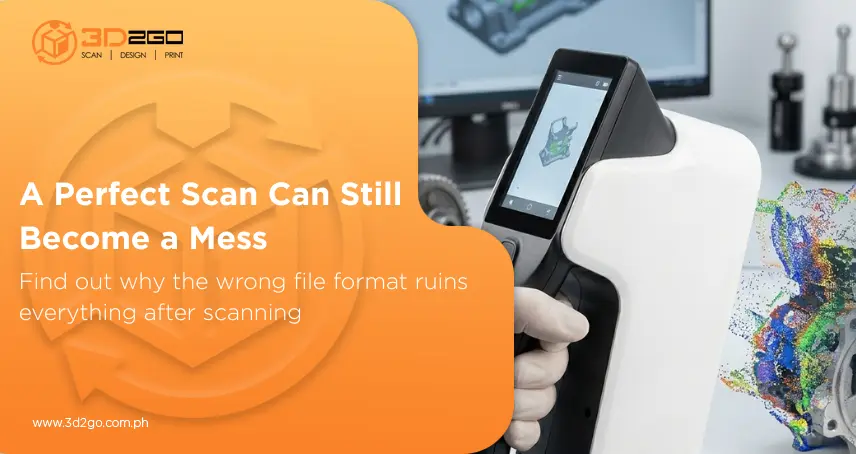
In reality, some of the biggest problems show up afterward — when the files are opened, transferred, processed, or converted into something usable for engineering or manufacturing. That’s usually where things either move smoothly… or spiral into hours of cleanup work nobody expected. And, surprisingly, the issue often comes down to the 3D scan point cloud file format used.
That detail sounds minor until a project starts to slow down because software can’t interpret the data properly, surfaces begin to break during conversion, or massive scan files become difficult to process. In precision-driven industries, those problems aren’t just annoying. They affect timelines, accuracy, and production quality.
That’s why businesses investing in 3D scan file workflows are paying much closer attention to how scan data is structured from the beginning. Because once the data pipeline gets messy, fixing it later becomes expensive.
What a Point Cloud File Really Contains
At its core, a point cloud is simply a digital collection of measured points captured from a physical object or environment. But “simple” isn’t exactly the right word when millions of data points are involved.
Every point represents a precise location in 3D space. Taken together, they recreate the geometry of a real-world object digitally — including curves, edges, surfaces, textures, contours, and dimensions.
The 3d scan point cloud file format determines how all that information gets stored and interpreted afterward.
Some formats prioritize raw accuracy. Others are designed for faster processing, easier sharing, or stronger software compatibility. Certain file types preserve color and texture information better, while others focus purely on geometry and measurement precision.
Why File Formats Can Make or Break a Workflow
Scanning projects generate huge amounts of data. A detailed industrial scan or large-scale architectural capture can easily produce millions — sometimes billions — of points in a single project.
That’s where the wrong 3D scan point cloud file format becomes a real problem.
Large files can dramatically slow software performance. Certain formats may lose information during conversion. Others create compatibility issues when teams move between engineering, CAD, inspection, or modeling platforms.
And once multiple departments are involved, those small technical problems snowball quickly.
A file that works perfectly in one system may suddenly open with missing geometry or broken alignment in another. That creates delays nobody budgeted for.
Not Every File Format Serves the Same Purpose
There’s no universal best format for every scanning project. The right 3d scan point cloud file format depends entirely on how the data will be used later. Some workflows prioritize inspection accuracy. Others focus on reverse engineering, modeling, visualization, or long-term storage efficiency.
That’s why professional scanning environments use multiple formats depending on the project requirements.
Common examples include:
- E57
- LAS
- PLY
- PTX
- XYZ
- OBJ
- STL
Each one has strengths and limitations.
E57 files, for instance, are widely used because they handle large datasets well while maintaining strong compatibility across professional scanning software. PLY files are useful when texture and color information matter. STL files, meanwhile, are often tied more closely to manufacturing and 3D printing workflows.
Precision Work Depends on Clean Data
The scanning process doesn’t stop after capture. The data still needs to move through alignment, processing, modeling, inspection, reconstruction, and production workflows. If the 3D scan point cloud file format isn’t stable or properly optimized, every subsequent stage becomes harder than it needs to be.
That difference affects processing speed, dimensional accuracy, reconstruction quality, and even long-term usability if the files need to be reopened months later for revisions or additional engineering work.
Reverse Engineering Relies on Accurate File Structures
Reverse engineering is one area where the quality of the scan becomes extremely obvious.
When manufacturers need to recreate parts without existing CAD files, they rely heavily on scan accuracy to rebuild components digitally. If the original 3d scan point cloud file format introduces distortions, missing geometry, or unstable surfaces, those problems eventually carry into the reconstructed model.
And once that happens, manufacturing precision suffers too.
That’s especially critical for industries dealing with:
- Automotive components
- Industrial equipment
- Engineering assemblies
- Aerospace structures
- Precision-fit parts
A small dimensional inconsistency in the scan can eventually lead to production problems later on.
Collaboration Gets Easier With the Right File Setup
Different departments often use completely different platforms. Engineers may work in CAD software, while inspection teams use metrology tools, and designers rely on visualization programs. If the 3d scan point cloud file format doesn’t transfer cleanly between systems, projects slow down fast.
Reliable file structures reduce data loss, minimize conversion errors, and make collaboration between teams far more efficient. Instead of troubleshooting broken files, people can focus on the actual project itself.
Demand for Precision Scanning Continues Growing
According to research, the global 3D scanning market is projected to grow from USD 51.8 billion in 2024 to USD 8.6 billion by 2029, driven by rising demand for precision inspection, reverse engineering, and industrial measurement technologies.
Manufacturers, engineers, and production teams increasingly rely on accurate scan data as the margin for error shrinks. As projects become more complex, the importance of choosing the right 3d scan point cloud file format becomes even harder to ignore.
Why Professional Scanning Experience Matters
The real difference often comes down to how the scan data is processed, organized, optimized, and delivered afterward. Even high-end equipment can produce frustrating results if the workflow behind it isn’t handled properly.
Experienced scanning teams understand how to structure files for real-world production environments — not just for preview renders or basic visual output.
That includes selecting the appropriate 3D scan point cloud file format based on the project’s engineering, manufacturing, or inspection requirements.
And that level of workflow planning matters more than most clients initially realize.
Why Businesses Work With 3D2GoPH
3D2GoPH provides professional scanning services built around accuracy, usability, and production-ready digital workflows.
Their team supports projects involving reverse engineering, industrial inspection, architecture, automotive applications, manufacturing, and detailed digital reconstruction, using advanced scanning systems and optimized data-handling processes.
Whether businesses require CAD-ready files, inspection-grade scans, or large-scale digital capture, 3D2GoPH ensures the final 3d scan point cloud file format remains clean, reliable, and practical for real-world use.
Better Scan Data Creates Better Results
Many scanning problems don’t begin with the hardware. They begin with how the data gets handled afterward.
The right 3d scan point cloud file format helps preserve accuracy, improve compatibility, reduce workflow friction, and support far more reliable engineering outcomes from start to finish. And in high-precision industries, that level of consistency matters enormously.
For businesses that need professional scanning solutions backed by accurate data handling and production-focused workflows, 3D2GoPH provides the expertise and technology to deliver dependable results.