Top 10 Mistakes in Preparing 3D CNC STL Files for CNC Production
May 7, 2026
Top 10 Problems Found in STL Files and 3D Models Before Printing
May 11, 2026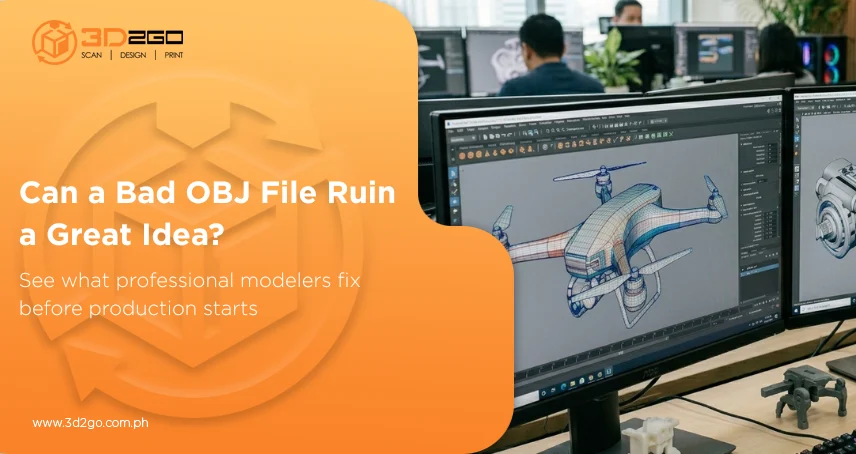
Every 3D project starts somewhere. Sometimes it begins with a rough sketch. Other times it’s just an idea explained during a meeting or scribbled in a notebook.
But turning that concept into something usable takes more than imagination. It needs structure, precision, and the right file format to hold everything together. That’s where the OBJ 3D model format continues to stand out.
Even with newer formats available today, the 3d file obj remains one of the most widely used options in 3D workflows because of its flexibility and compatibility. It works across different software platforms and supports both geometry and texture information, making it useful for visualization, rendering, animation, and production preparation.
But creating a clean, production-ready 3d file obj involves much more than simply clicking “export.”
Every Good 3D Model Starts With Clear References
Before any modeling begins, professionals first focus on understanding the concept properly.
That part often gets overlooked, but it matters more than people realize. A strong 3d file obj usually starts with reference materials—technical drawings, sketches, measurements, product photos, or even rough concept ideas. Without that foundation, small misunderstandings can snowball into larger design issues later in the workflow.
The goal isn’t just to create something that looks visually correct. The model also needs to behave correctly inside digital environments.
That’s a completely different level of preparation.
Building the Geometry Is Where the Real Work Begins
Once the references are clear, the actual modeling process begins to take shape. This is where artists and modelers begin constructing the object digitally using polygons and mesh structures. The geometry serves as the backbone of the 3D OBJ file, defining its overall form, dimensions, and surface quality. And this stage takes precision.
Messy geometry can create all kinds of downstream problems—broken surfaces, rendering issues, printing errors, or unstable animations. That’s why professional modelers pay close attention to topology, which refers to how polygons flow across the model.
Good topology keeps the file cleaner, more stable, and easier to optimize later on.
Why the OBJ Format Still Holds Its Ground
Despite newer technologies entering the industry, the 3d file obj hasn’t disappeared—and there’s a reason for that.
OBJ files are simple, reliable, and widely supported across major 3D software platforms. They also handle texture mapping well, which makes them useful for projects that require visual realism.
That flexibility allows a 3d file obj to move more smoothly between different stages of production without creating major compatibility issues.
For collaborative projects, especially, that kind of reliability matters.
Texture Mapping Brings the Model to Life
A 3D model without textures usually feels unfinished, no matter how accurate the shape is. Once the geometry is complete, texture work begins. This stage adds surface details like color, roughness, reflections, and material appearance to the 3d file obj.
Textures help communicate realism. Whether the model represents metal, fabric, wood, plastic, or glass, texture mapping gives surfaces depth and personality that raw geometry alone can’t achieve.
Without it, even technically solid models can still feel lifeless.
Precision Isn’t Optional in Professional Modeling
A lot of people assume 3D modeling is mostly artistic work. In reality, technical accuracy plays an equally important role.
A professionally prepared 3d file obj often needs to follow exact dimensions, especially for manufacturing, prototyping, engineering, or 3D printing workflows.
Even minor scaling issues can create serious problems later during assembly or production.
That’s why experienced modelers spend time validating measurements, checking proportions, and refining structural details before finalizing the file.
Because once production begins, small inaccuracies become expensive very quickly.
Optimization Keeps the Workflow Efficient
One common mistake in 3D modeling is assuming that more polygons automatically mean better quality.
That’s not always true. Some 3d file obj assets become unnecessarily heavy because they contain excessive geometry that doesn’t improve the final result. Large files can slow rendering, affect editing performance, and complicate production workflows.
Professional optimization focuses on keeping the model detailed without making it inefficient.
It’s about balance—not excess.
Why Professional Modeling Services Make a Difference
There’s a major difference between creating a model that simply looks good and creating one that’s actually production-ready.
Professional services understand how a 3d file obj needs to function depending on the final application. A model prepared for animation won’t follow the exact same structure as one built for manufacturing or 3D printing.
Each use case demands different priorities.
That’s why professional workflows involve more than visual design. They also include geometry cleanup, topology refinement, scaling checks, texture organization, and export preparation.
Those details are what separate polished assets from problematic ones.
The Demand for High-Quality 3D Files Keeps Growing
As industries move toward digital production, demand for reliable 3D assets continues to grow.
According to Statista, the global market for 3D technologies continues to grow as more companies adopt digital visualization and advanced production workflows.
That growth puts even more importance on properly built 3d file obj assets because businesses now rely on digital models across multiple stages of development and production.
A weak file structure can slow everything down.
Where OBJ Files Are Commonly Used Today
One reason the 3d file obj remains widely used is its versatility. It works across multiple industries and creative fields, including:
- Product visualization
- 3D printing preparation
- Animation projects
- Gaming assets
- Architectural rendering
- Manufacturing previews
Its ability to transfer cleanly across different software environments makes it one of the safest formats for collaborative workflows.
Why File Quality Impacts the Entire Project
Poorly prepared files rarely stay isolated problems. Broken geometry, incorrect scaling, missing textures, or unstable topology can affect rendering, editing, production, and even final presentation quality.
A properly prepared 3d file obj creates a smoother workflow from start to finish. Teams spend less time fixing technical issues and more time focusing on execution.
And in fast-moving production environments, that efficiency matters.
Strong 3D Projects Begin With Strong File Preparation
Turning an idea into a professional 3d file obj takes more than creativity alone. It requires technical structure, clean geometry, optimized topology, and careful preparation for the intended workflow.
The quality of the file directly affects how well the project performs later—whether it’s used for rendering, visualization, manufacturing, or 3D printing.
That’s why proper modeling services continue to matter in modern production environments.
3D2GoPH helps businesses and creators develop cleaner, production-ready 3D assets that enable smoother workflows, greater accuracy, and better output quality across different applications.