
Turning Ideas into 3D File OBJ Using Professional Modeling Services
May 8, 2026
Why a High-Quality Digital Model Saves Time in Product Development
May 12, 2026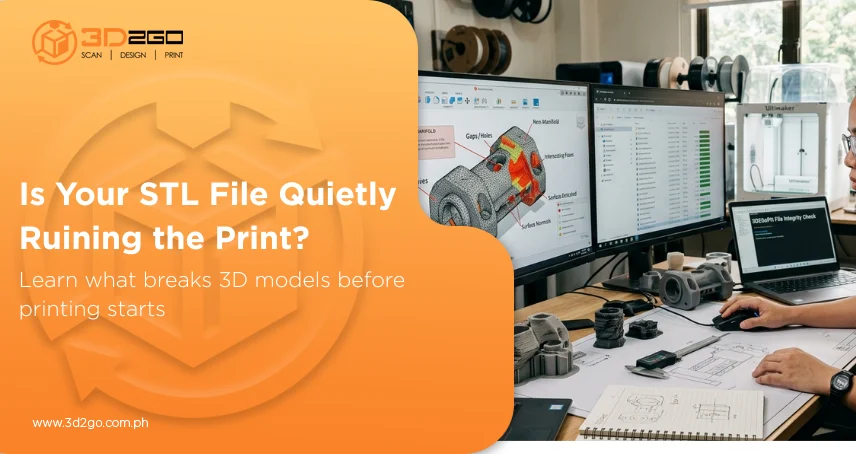
When a 3D print fails, people usually blame the machine first. But more often than not, the actual problem started much earlier—inside the file itself.
A model can look perfectly smooth on screen, pass a quick visual check, and still completely fall apart during printing. Layers shift, surfaces disappear, dimensions come out wrong, or parts simply refuse to print properly. That’s why proper custom STL file creation matters more than many realize.
The quality of stl files and 3d models directly affects how reliable the final print will be. Even small technical flaws hidden in the mesh can lead to wasted material, failed production runs, and hours of unnecessary troubleshooting later.
And the tricky part? Some of these issues stay invisible until the printer exposes them.
1. Broken or Non-Manifold Geometry
This is one of the biggest troublemakers in stl files and 3d models. Non-manifold geometry happens when parts of the model connect in ways that don’t make physical sense. You might have overlapping faces, open edges, or internal surfaces where they shouldn’t be.
To the human eye, the model may still look fine. But slicing software sees confusion instead of structure.
That confusion often turns into missing layers, incomplete prints, or strange gaps that suddenly appear halfway through production.
2. Incorrect Scaling That Ruins Dimensions
Scaling issues sound simple until a printed part comes out too large to fit—or too small to function.
A lot of stl files and 3d models run into trouble because units weren’t checked properly before export. Some software interprets dimensions differently, especially when files move between programs.
Millimeters become inches. Inches become centimeters. And suddenly the entire print becomes unusable.
What makes this frustrating is how preventable it usually is.
3. Thin Walls That Can’t Physically Print
Some designs work beautifully on screen but fail the moment physics comes into play. Thin walls and delicate structures are common issues in stl files and 3d models, especially when the design focuses too heavily on appearance without considering print limitations.
A wall might technically exist within the file, but if it’s too thin for the printer to handle, it either prints poorly or disappears entirely.
Good 3D modeling isn’t just about how something looks. It’s also about whether it can actually survive production.
4. Holes and Open Mesh Surfaces
An STL file intended for printing should behave as a single solid object.
But many stl files and 3d models contain small holes or open mesh sections that break that structure. These gaps confuse slicing software because the model no longer behaves like a closed volume.
The result can be unpredictable:
- Missing surfaces
- Incomplete layers
- Structural weaknesses
- Failed prints halfway through production
And sometimes the opening is so small it’s almost impossible to notice visually.
5. Meshes That Are Too Dense for No Reason
More detail isn’t always better. Some stl files and 3d models become overloaded with unnecessary polygon density that inflates file size without improving actual print quality.
Heavy meshes slow down slicing software, increase processing time, and create inefficient workflows.
A properly optimized file keeps the important details while removing unnecessary complexity that only strains the system.
Clean geometry almost always performs better than excessive geometry.
6. Reversed Normals and Surface Direction Problems
Normals determine which direction a surface faces inside a 3D model. If those directions flip incorrectly, parts of the model may appear invisible or print improperly. This is a surprisingly common issue in stl files and 3d models, especially after repeated editing or file conversion.
Sometimes the problem doesn’t even appear until slicing begins.
And when it does, entire sections of the print may behave unpredictably because the software can’t properly identify inside versus outside surfaces.
7. Unsupported Floating Parts
Not every piece of geometry inside a file can physically support itself during printing. Some stl files and 3d models contain floating sections or disconnected elements that lack proper structural support. These areas often collapse, detach, or fail entirely during production.
Designing for 3D printing means thinking beyond the shape itself. Gravity, support structures, and print orientation all matter.
A visually impressive model still needs to follow real-world printing logic.
8. Rough or Messy Surface Geometry
Surface quality inside the file directly affects surface quality in the final print. Uneven geometry, unnecessary artifacts, and rough mesh structures inside stl files and 3d models often produce visible imperfections once printed.
That might show up as:
- Bumpy surfaces
- Jagged curves
- Uneven textures
- Inconsistent layer behavior
The cleaner the geometry, the cleaner the output tends to be.
9. File Compatibility Issues Between Software
Not every software platform interprets STL files exactly the same way. Some stl files and 3d models lose information or behave differently when transferred between modeling software, slicers, and printers. Geometry may shift slightly, scaling can change, or surfaces may become unstable after export.
This becomes especially common in collaborative workflows where files pass through multiple systems.
That’s why compatibility checks matter before production begins—not after problems appear.
10. Skipping File Validation Entirely
One of the biggest mistakes is assuming a file is ready simply because it opens successfully. A printable file still needs proper validation.
Professional handling of stl files and 3d models usually includes checking for:
- Geometry integrity
- Mesh consistency
- Wall thickness
- Scaling accuracy
- Printability issues
Skipping this step often creates expensive problems later that could’ve been fixed much earlier. And in production workflows, prevention almost always costs less than correction.
Why File Preparation Is Becoming More Important
As 3D printing becomes more common across industries, file quality matters more than ever.
According to Statista, the global 3D printing industry continues to grow as businesses expand their use of additive manufacturing for prototyping and production.
That growth increases the demand for cleaner, production-ready stl files and 3d models because even advanced printers still rely entirely on the quality of the file they receive.
A high-end machine can’t fix a broken model.
Better Prints Usually Begin With Better Files
Most printing failures don’t happen randomly. They usually start with small issues hidden inside the model itself.
That’s why properly preparing stl files and 3d models plays such a major role in print quality, production efficiency, and overall reliability. Problems like broken geometry, scaling mistakes, weak structures, and compatibility errors can quietly disrupt an entire workflow before printing even starts.
Strong files lead to smoother production, fewer failed prints, and more consistent results overall.
3D2GoPH helps businesses and creators develop optimized, production-ready 3D files designed to reduce printing issues and improve workflow accuracy from the very beginning.