

Why Custom-Made Cake Toppers Are Replacing Traditional Cake Décor
March 2, 2026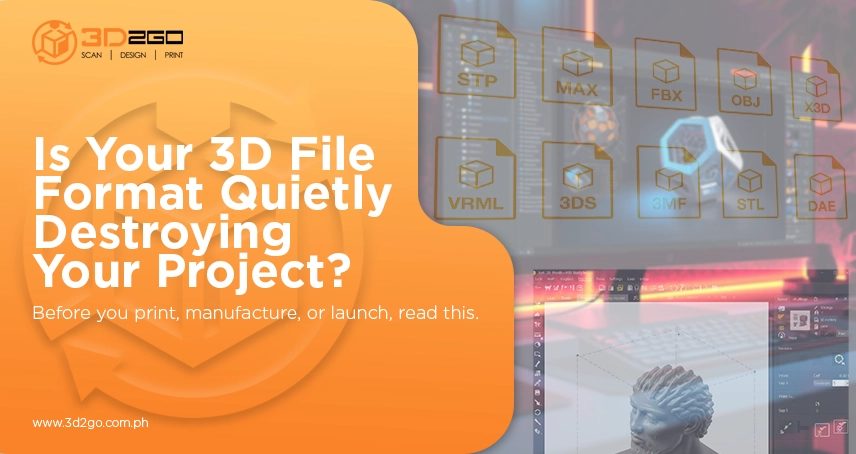
In any 3D project, the design often gets the spotlight. But behind every successful print, prototype, animation, or manufactured part is something less visible, the 3D model formats used to build and export the file. Many businesses focus on aesthetics and functionality, yet overlook how file decisions impact production.
Whether you’re developing prototypes, preparing assets for visualization, or working on manufacturing-ready models, choosing the wrong 3d file formats can quietly increase costs, delay timelines, and compromise quality. That’s why understanding proper modeling workflows, like those outlined in professional 3D modeling services, is not just a technical concern but a strategic one.
This article breaks down what 3d file formats actually control, where businesses go wrong, and how to prevent costly mistakes.
What 3D File Formats Actually Control in Your Project
Most people think 3d file formats simply “store a model.” In reality, they store critical data that determines how that model behaves in different systems.
A 3D file can contain:
- Geometric data (mesh or solid structure)
- Surface materials
- Textures and color information
- Animation rigs and hierarchy
- Engineering tolerances
- Print metadata
The format you choose dictates what information is preserved and what gets lost.
For example, exporting a detailed model into a basic mesh format may strip away engineering precision. Sending a textured product visualization as an STL file removes all color and material data. These aren’t minor issues. They often require rebuilding or reconverting files, costing both time and budget.
In short, 3d file formats control compatibility, precision, and production readiness.
The Business Categories of 3D File Formats
Not all formats are created equal. They exist because different industries require different data structures. Understanding these categories helps prevent workflow breakdowns.
1. Mesh-Based Formats
Mesh formats describe surfaces using polygons or triangles. They are common in:
- 3D printing
- Product visualization
- Gaming
- Scanning
Examples include STL, OBJ, and PLY.
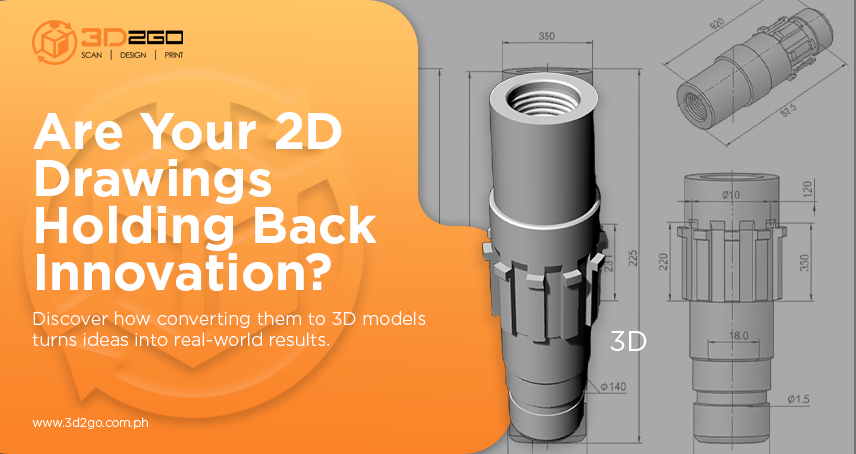
These formats are efficient for surface modeling but lack true solid geometry. That means they are not ideal for precision manufacturing unless carefully prepared.
Business risk: Surface-only data can lead to scaling errors, faceted curves, or print failures if not optimized properly.
2. CAD (Solid) Formats
CAD formats focus on precise solid modeling. These include STEP and IGES.
They preserve:
- Exact measurements
- Parametric data
- Engineering tolerances
These are essential for manufacturing and production-grade components.
Business risk: Sending a mesh file to a manufacturer instead of a solid CAD file may require expensive reverse engineering or remodelling.
3. Scene-Based Formats
Formats like FBX and GLTF support:
- Animation rigs
- Hierarchy
- Materials
- Lighting data
These are widely used in gaming, film, and AR/VR pipelines.
Business risk: Exporting animated assets into a format that doesn’t support rigging can break motion data entirely.
Strategic Comparison: When Each Format Wins, and When It Fails
To avoid unnecessary expense, businesses must align 3d file formats with their final output.
STL
- Excellent for basic 3D printing
- Small file sizes
- Universal slicer support
- No color or material data
OBJ
- Strong compatibility
- Supports basic materials (MTL files)
- No animation or scene hierarchy
FBX
- Full scene and rig support
- Ideal for animation and gaming
- Some proprietary limitations
GLTF / GLB
- Compact and optimized
- Ideal for web and AR
- Not suited for CAD precision
3MF
- Advanced print metadata
- Multi-material support
- Growing adoption
STEP / IGES
- Precise solid modeling
- Essential for manufacturing
- Requires mesh conversion for printing
The key insight: There is no universal best format. There is only the right format for the job.
How to Protect Your Budget: Choosing the Right 3D File Format
Avoiding costly mistakes starts before modeling begins.
Step 1: Define the Final Output Early
Ask:
- Is this for 3D printing?
- Is this for manufacturing?
- Is this for gaming or animation?
- Is this for AR/VR?
The end use determines the format, not preference.
Step 2: Align Design and Production Teams
Misalignment between departments creates format conflicts.
Ensure:
- Designers know the production requirements.
- Engineers receive proper solid files.
- Print teams receive watertight meshes.
- Animators receive full hierarchy data.
Professional workflows integrate these considerations from day one.
Step 3: Validate Before Submission
Before exporting final files:
- Confirm models are watertight.
- Verify resolution is sufficient.
- Check scale accuracy.
- Confirm material compatibility.
- Test file import in the target software.
This validation stage alone prevents the majority of costly rework.
Why Professional 3D Workflow Matters
Many businesses treat 3d file formats as a minor technical detail. In reality, they determine whether a project moves smoothly or becomes expensive.
Working with experienced 3D professionals ensures:
- Correct format selection
- Proper model preparation
- Workflow compatibility
- Production-ready outputs
- Reduced conversion risks
When modeling is handled strategically, projects transition from concept to production without unnecessary setbacks.
Businesses that invest in proper workflow planning save significantly more than those that cut corners.
The Real Cost Isn’t the File, It’s the Mistake
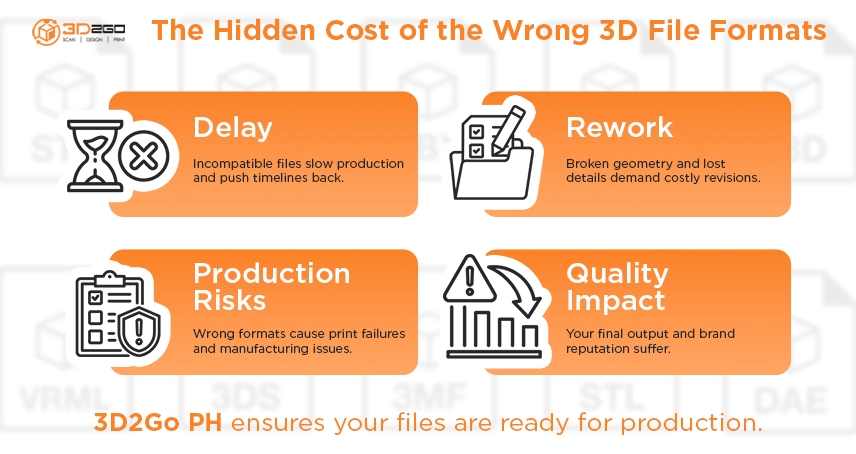
Choosing the wrong 3d file formats doesn’t just cause technical inconvenience. It causes:
- Delayed timelines
- Quality compromise
- Manufacturing risk
- Increased labor expenses
- Budget overruns
File decisions shape the entire lifecycle of a 3D project.
If you want your models to move efficiently from design to print, animation, or manufacturing, without costly revisions, it’s critical to work with a team that understands both modeling and output requirements.
If you’re planning a 3D project and want to ensure your files are production-ready from the start, connect with experienced specialists here: 3D2GoPH
Making the right format decision today protects your timeline, your quality standards, and your bottom line tomorrow.